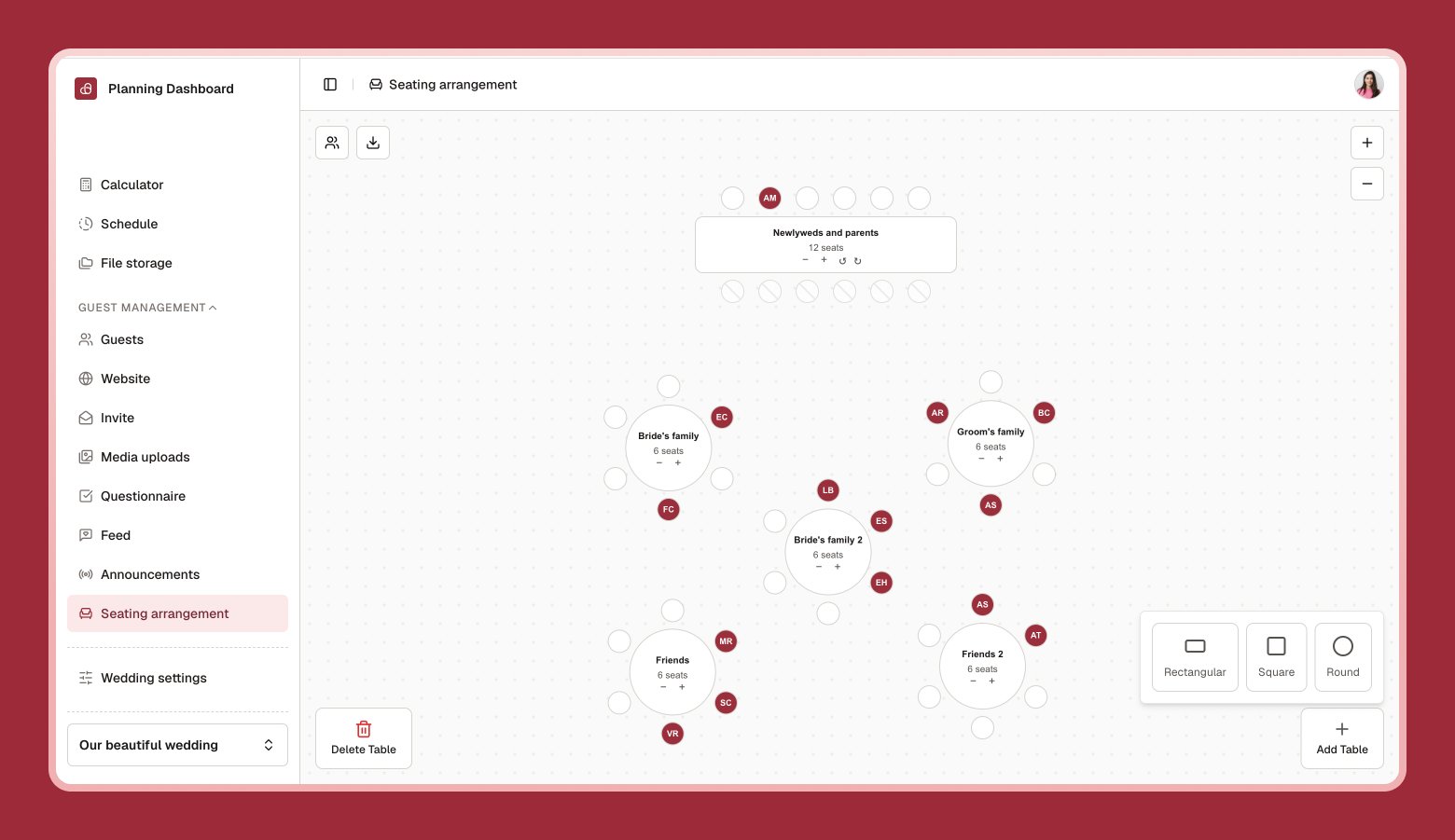
Skip the paper chart and sticky notes — Seating chart is a drag-and-drop floor plan for assigning guests to tables.
Seating chart canvas with round and rectangular tables, some seats filled with guest names
1

Add a table

Choose a shape — round, square, or rectangular — and give it a name.
2

Drag guests onto seats

Pick guests from the list on the side and drop them onto an open seat.
3

Adjust as needed

Rotate or reposition tables, and zoom in or out to work on a large chart comfortably.

Best time to start

Seating works best once RSVPs have started coming in through your questionnaire, so you’re working with confirmed numbers rather than your full invite list.

Exporting

Select Download to export your seating chart and guest list as a PDF or ZIP — useful to share with your venue or caterer.