Digital invitations are available on paid plans, after your trial ends.
Your digital invitation is what guests see first — a styled card with your names, venues, date and time, and a button that takes them to your questionnaire.
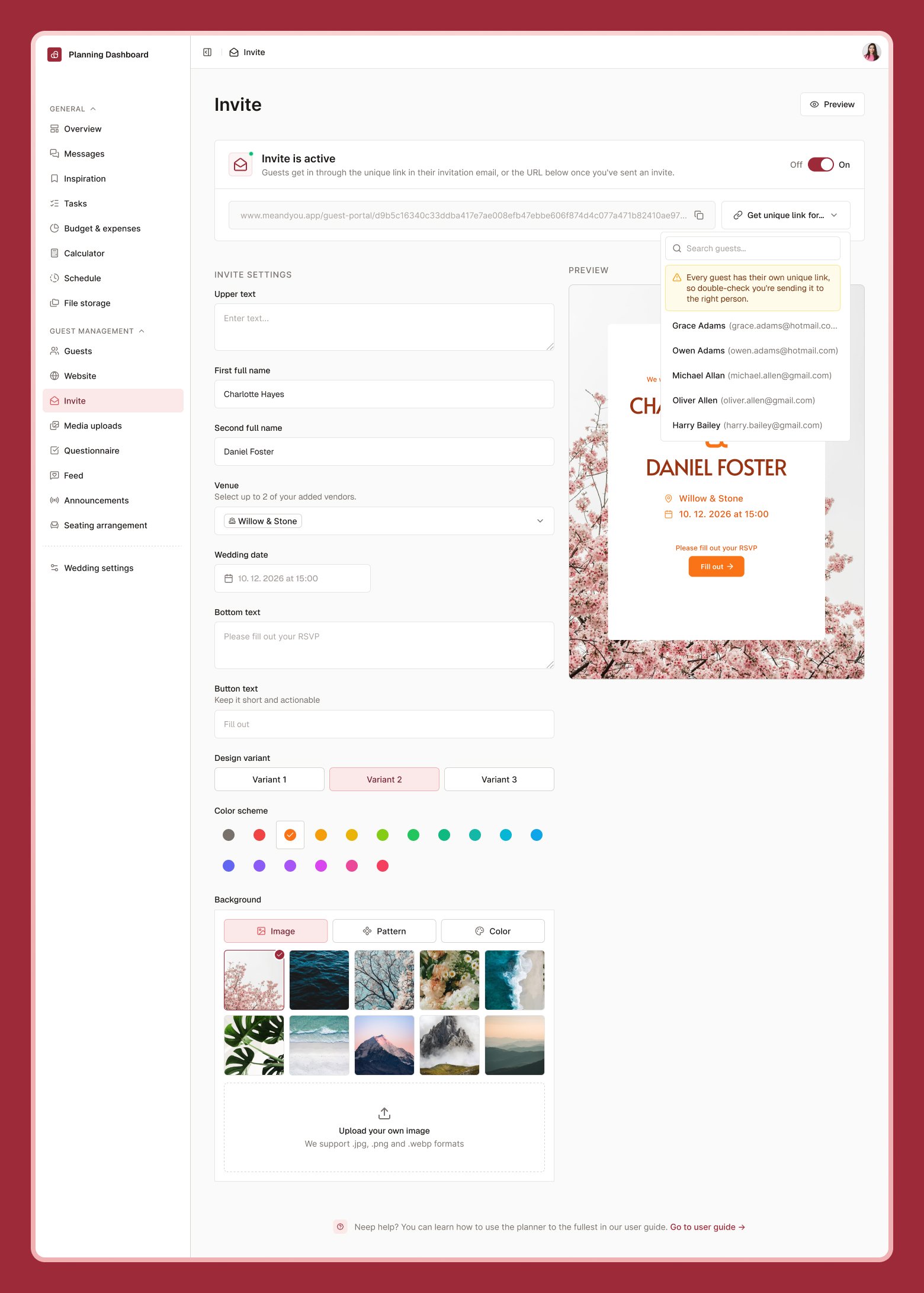
Invitation editor showing couple names, venue, date, and a live preview panel

Designing your invitation

1

Turn the invitation On

Found at the top of the Invite page.
2

Add your details

Couple names, venue(s), date and time, and any text you’d like above or below the main details.
3

Choose a style

Pick a layout variant, a color, and a background — a pattern, image, or solid color.
4

Save

Changes save automatically as you go, but you can also select Save manually.
Use the live preview to see exactly what guests will see before you send anything.

Sharing it

Select Copy guest portal link to grab a shareable link, or send it directly to your guest list — see Building your guest list for sending RSVP emails, which include a link to both your invitation and your questionnaire.